REVERTO BLOG
Email Deliverability Checklist
What actually moves sales email from the inbox to spam, roughly in the order it bites: authentication, volume, list quality and unsubscribes, as a checklist.
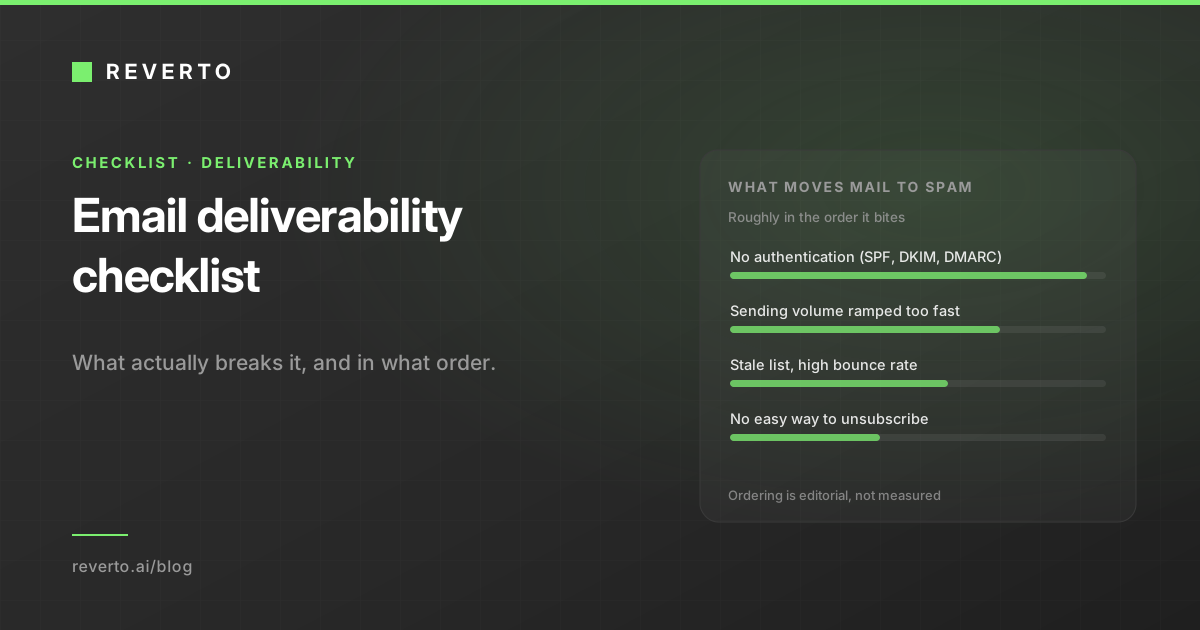
Sales email ends up in spam for four main reasons, and they are not equally weighted. Missing authentication is close to disqualifying. Ramping volume too quickly comes next, then a stale list, then a buried unsubscribe. Most deliverability advice treats these as a flat list, which is why teams fix the easy item first and keep landing in spam.
What is email deliverability?
Email deliverability is whether your mail reaches the inbox, not just whether a server accepted it. Those are two different things. Delivery means the receiving server took the message. Placement means where it then went: the inbox, a promotions tab, or spam. When people talk about deliverability problems, they almost always mean placement.
A message can be delivered every time and still never be seen. That is why a sending tool's "delivered" figure says little about whether anyone is reading what you send.
Email deliverability checklist
This email deliverability checklist has ten items in four groups, ordered roughly by how much damage each gap causes. Work through it top to bottom. No item needs a specific sending number to check, because volume limits differ by provider and change over time. What matters is whether each item is in place.
Authentication
- SPF, DKIM and DMARC are published and aligned. Without them, providers cannot confirm the mail is really from you, and many treat it as suspect from the first message.
Reputation
- Volume is ramped gradually. A new mailbox or domain that suddenly sends a lot looks like a compromised account.
- The sending pattern is consistent. Steady daily sending builds trust; long silences followed by bursts undo it.
- Outbound uses a separate domain or subdomain. A reputation problem in outbound then stays away from the main company domain that clients and invoices depend on.
List quality
- Bounces are removed promptly. Repeated sends to addresses that do not exist are one of the clearest signals of a careless sender.
- The suppression list is honoured. Anyone who unsubscribed or asked not to be contacted never receives another message, from any tool.
- No purchased lists. Bought lists carry dead addresses and people who never asked to hear from you, which means bounces and complaints.
Content and compliance
- A working unsubscribe. If people cannot opt out easily, they mark the message as spam instead, which does far more harm.
- A real physical address. Commercial email rules in many places require one, and its absence is a basic trust signal.
- No link shorteners or image-only mail. Shortened links hide where they go, and image-only messages hide what they say; both are common in spam.
What breaks cold email deliverability fastest
Four causes do most of the damage to cold email deliverability, roughly in this order: missing authentication, volume ramped too fast, a stale list with a high bounce rate, and no easy way to unsubscribe. This ordering is editorial judgement based on how the problems compound, not a measured ranking from a study.
- No authentication (SPF, DKIM, DMARC). Close to disqualifying on its own; nothing else on the list can make up for it.
- Sending volume ramped too fast. Even well-authenticated mail looks suspicious when a sender's volume jumps without history behind it.
- Stale list, high bounce rate. Bounces tell providers you do not know who you are writing to.
- No easy way to unsubscribe. Recipients who cannot leave report the message instead, and complaints weigh heavily.
Teams often fix the fourth item first because it is the easiest, then wonder why nothing changes. Start at the top.
Why your list is usually the problem
For teams with authentication in place, the list is usually where things go wrong. A list with stale addresses generates bounces, and bounces damage sender reputation faster than most content issues. Wording rarely puts a message in spam on its own; repeatedly writing to addresses that no longer exist often does.
Lists go stale quietly: people change jobs, companies change domains, and old imports sit untouched. Keeping records accurate before you send is covered in CRM hygiene. The same list problems show up in follow-up: Velocify's August 2014 secret-shopper study (vendor-published) found 13% of enquirers never heard from a rep at all, so many records in a CRM have never been emailed successfully, and nobody knows whether the address still works.
Sales email deliverability vs marketing email
Sales email deliverability works on the same mechanics as marketing email but carries a different risk. Marketing mail goes to people who opted in to a list, from a platform built for bulk sending. Sales mail often goes to individuals, from an individual's own mailbox, where one person's reputation is at stake with every send.
That means a sales rep's mailbox can be damaged by a few careless sends in a way a marketing platform rarely is. The checklist is the same; the margin for error is smaller. For what to say once the email reaches the inbox, see sales follow-up email templates.
How to tell if you have a deliverability problem
You can usually spot a deliverability problem before any tool reports it. Three signs are common: reply rates falling while send volume stays flat, replies coming only from one email provider's users, and messages turning up in spam when a colleague checks. Any of these is worth testing properly.
To test, set up real seed accounts you control across several major email providers, send your normal messages to them, and note where each one lands. Repeat after any change to authentication, volume or list. Checking only your own inbox tells you little, because providers treat mail from known contacts differently.
Where Reverto AI fits
Reverto AI is a managed conversion layer, run by the Reverto AI team. Its outbound prospecting workflow includes bounce detection across providers, suppression lists, staggered sending, gradual volume ramping and A2P-registered routes for SMS. No system fixes a list with no consent record. If you need bulk newsletter sending or a deliverability testing tool, Reverto AI is not that.
Where does this information come from?
The checklist and the ordering of causes on this page are editorial guidance on how email authentication, reputation and list quality work, not findings from a single study. The one statistic on the page comes from the source below, which is vendor-published. No sending-volume thresholds or provider limits appear here, because they differ by provider and change.
| Source | Year | Type | Used for |
|---|---|---|---|
| Velocify secret-shopper study, via PR Newswire | 2014 | Vendor-published | 13% of enquirers never heard from a rep |
Frequently asked questions
What is an email deliverability checklist?
An email deliverability checklist is a list of the settings and habits that decide whether your email reaches the inbox rather than spam. For sales teams it covers four areas: authentication, sending reputation, list quality, and content and compliance. Working through it in that order fixes the issues that do the most damage first.
What hurts email deliverability most?
Missing authentication does the most damage: without SPF, DKIM and DMARC, many providers treat mail as suspect from the start. After that, ramping sending volume too quickly, sending to a stale list that bounces, and making it hard to unsubscribe. This ordering is editorial judgement, not a measured ranking, but it matches how the problems compound.
What are SPF, DKIM and DMARC?
They are three email authentication standards. SPF lists which servers may send mail for your domain. DKIM adds a signature proving a message was not altered and really came from your domain. DMARC tells receiving providers what to do when a message fails those checks, and sends you reports about mail using your domain.
Does cold email hurt your domain reputation?
It can. Cold email sent too fast, to a poor list, or without an easy way to opt out produces bounces and spam complaints, and those count against the sending domain. That is why many teams send outbound from a separate domain or subdomain, so a problem there does not affect the main company domain.
How do you know if your emails are going to spam?
Watch for reply rates falling while send volume stays flat, or replies arriving only from one email provider's users. Then test directly: send to real seed accounts you control across several providers and check where each message lands. A colleague checking their own spam folder is a quick first test.